Pick Brainly if you are a parent who wants AI homework help plus human tutors and a learning advisor for a teen in grades 7 to 12, on a phone or the web. Pick DuckyHelper if the student does homework on your computer and wants live voice help that marks up the screen. Brainly has human help and a long history; DuckyHelper is new.
Note: DuckyHelper is our product. We wrote this page, so read it with that in mind. We checked the facts about other products again on November 3, 2026 and link each source, with the day we read it, at the bottom. If something is out of date, email support@duckyhelper.com and we will fix it.
At a glance
DuckyHelper vs Brainly, facts checked November 3, 2026
| DuckyHelper | Brainly | |
|---|---|---|
| What it is | Live voice help that shows you, in an app for Mac, Windows and Linux: press its key and it sees your screen and marks it up | AI homework help and test prep with human tutors and a learning advisor |
| Platforms | Mac (macOS 14+, Apple silicon), plus Windows 10 or 11 and Linux apps (beta); no web or phone version | Web, iPhone, iPad and Android |
| Live voice conversation | Yes, live voice in the app | No evidence found; human tutoring is by text chat per its terms |
| Sees your screen | Yes, in the app, while the pill is open | Camera photo of a question |
| Draws or points on your screen | Yes: it draws on your real screen over any app, and on a blackboard beside your work | No evidence found |
| Quizzes and flashcards | Yes, in the app: quizzes and flashcards when you ask, and live simulations on its blackboard | Test prep built from questions you missed |
| Progress tracking | Memory plus a dashboard: time learned, subjects, topic mastery, recent tests | No evidence found |
| Subjects | Any subject | K to 12: math, science, history, English and more |
| Free plan | No; try it for 10 minutes with no card, then Plus is $14 a month for your first 3 months and $20 a month after | Yes, with limited features and ads |
| Paid plans (November 2026) | Plus $20/month ($14 for your first 3 months), Max $200/month ($140 for your first 3), Unlimited $200/week; Plus and Max also yearly at 12% off | App Store: Plus $9.99/month or $39.99/year; Tutor $29.99/month or $95.99/year |
| Age rules | 13+; under 18 needs a parent's OK; under 13 only with verified parental consent | 13+; US under 13 needs verified parental consent |
| Track record | New in 2026, no track record yet | Established, long-running |
| Human help | No | Yes, tutors and a learning advisor on paid plans |
Which one should you pick?
Pick DuckyHelper if
- The student does homework on a Mac, Windows or Linux computer.
- They want to talk it through out loud and see marks on the actual problem.
- You want quizzes, practice tests and a dashboard of time learned and topics.
Pick Brainly if
- You want a human in the loop: tutors and a learning advisor.
- The student works from paper with a phone.
- You want a money-back guarantee (Brainly offers 30 days).
- You want a lower monthly price for AI help: Plus starts at $9.99 a month.
Brainly changed
Brainly is now sold mainly to parents. Its site describes AI homework help and test prep for grades 7 to 12, a step-by-step approach that keeps the next step closed until the current one is right, and a human learning advisor on every plan. An August 2026 version of its homepage described "human tutors and AI across every subject" and a 30-day money-back guarantee.
Where DuckyHelper is different
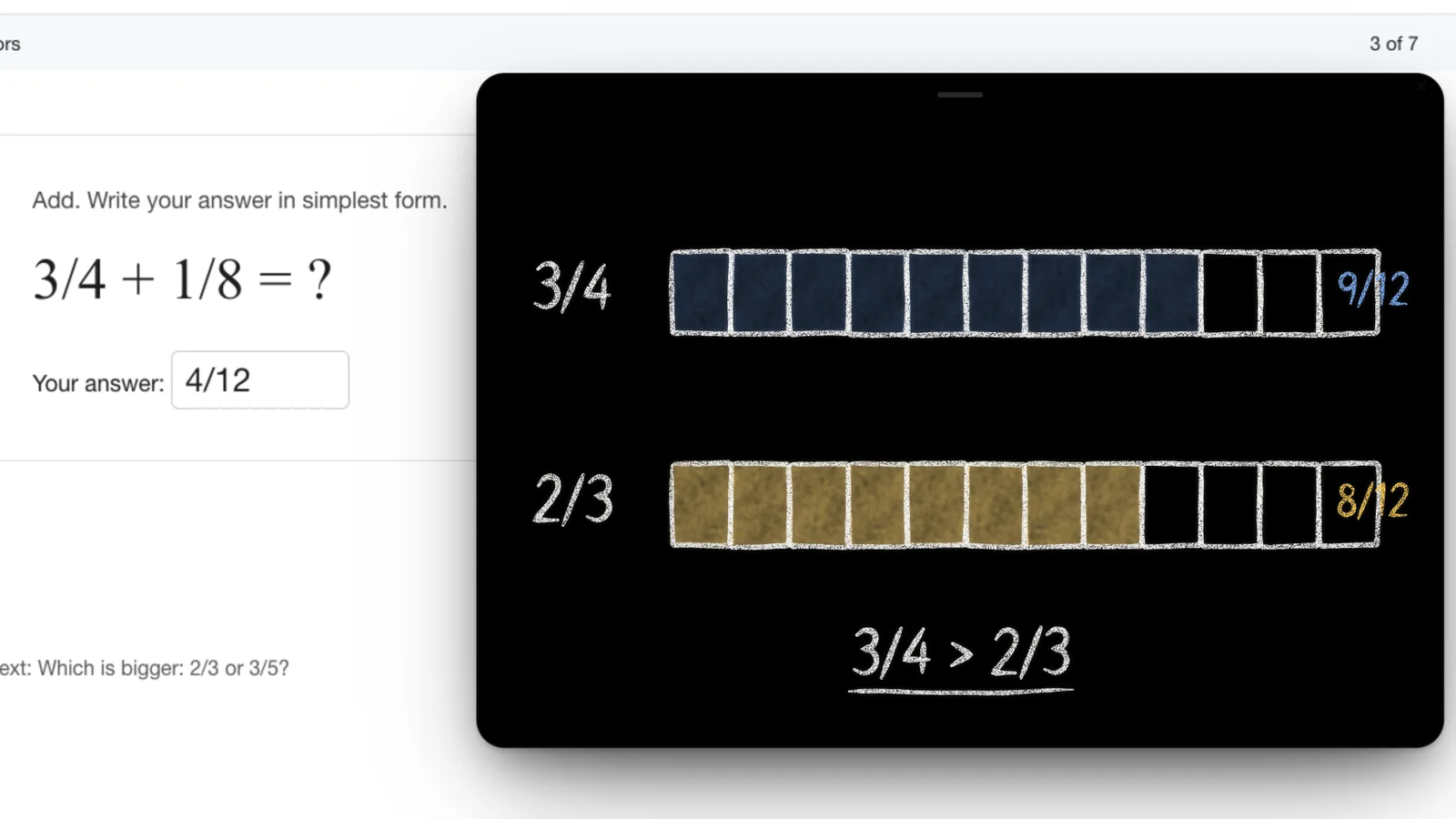
DuckyHelper is voice first. On the computer it works on the screen itself: the student talks, Ducky sees the work, explains out loud, and draws on it. Worked steps, quizzes and a blackboard rise out of the pill while it explains. There are no human tutors in DuckyHelper.
Pricing as of November 2026
Prices in US dollars as of November 2026
| Plan | Price | What you get |
|---|---|---|
| DuckyHelper Plus, first 3 months | $14 a month | 850 credits a month, 30% off for new members, then $20 a month |
| DuckyHelper Plus | $20 a month | 850 credits a month |
| DuckyHelper Max | $200 a month | 8,500 credits a month, 10x the usage of Plus |
| DuckyHelper Unlimited | $200 a week | No hourly limits, fair use 12,000 credits a week (60x Plus) |
| DuckyHelper Credit packs | $10, $25, $50 | 450, 1,150 or 2,400 extra credits, good for 12 months |
| Brainly Free | $0 | Limited features, ads |
| Brainly Plus | $9.99 a month or $39.99 a year (App Store) | Removes limits and ads |
| Brainly Tutor | $29.99 a month or $95.99 a year (App Store) | Adds tutoring |
Prices above come from Brainly's App Store listing; web prices were not shown publicly. See DuckyHelper pricing.
It finds the line that went wrong.
Ask it to check your work. It strikes the one slip and writes the fix beside it, then lets you finish.
Stuck on your own homework?
Open DuckyHelper and say it out loud. It sees your screen, so it works through your own problem with you and draws it, like the board above.
Things to say to it
- “Help me understand this question, one step at a time”
- “Quiz me on the ones I got wrong”
- “Explain this reading passage like I'm new to it”
Plus is $14 a month for your first 3 months. DuckyHelper is an app for Mac (Apple silicon, macOS 14 or later), Windows and Linux.
Questions
Is Brainly still a free Q&A site?
Brainly still has a free version with limited features and ads, but it now focuses on paid AI homework help and test prep for grades 7 to 12, with human tutors and a learning advisor, sold mainly to parents.
How old do you need to be for Brainly?
Brainly's terms say you must be at least 13, and in the US children under 13 need verified parental consent. DuckyHelper is also 13 and up, with a parent's OK for 13 to 17 and verified parental consent under 13.
Does DuckyHelper have human tutors?
No. DuckyHelper is an AI you talk to. If you want a person, Brainly's tutor plans, Wyzant or Tutor.com are options. Tutor.com is free through many public libraries.
Which works on a Chromebook?
Brainly does: it works in a Chromebook browser. DuckyHelper doesn't yet: it is an app for Mac, Windows and Linux. It has no web version.
Can Brainly or DuckyHelper see my child's screen?
Brainly works from a photo of the question taken with the phone camera. DuckyHelper sees the computer screen only while its pill is open, then draws on the work as it explains. We don't keep its screenshots, except pictures saved to memory; our privacy policy has the details.
Sources
- Brainly, accessed October 1, 2026
- Brainly homepage (archived 2026-08-20), accessed October 1, 2026
- Brainly on the App Store, accessed November 3, 2026
- Brainly on Google Play, accessed November 3, 2026
- Brainly terms of use (archived 2026-05-14), accessed October 1, 2026
- DuckyHelper features, accessed November 3, 2026
- DuckyHelper download and Mac requirements, accessed November 3, 2026
- DuckyHelper pricing, accessed November 3, 2026
- DuckyHelper terms (age rules), accessed November 3, 2026
- DuckyHelper llms.txt (plans, platforms, the 10-minute try), accessed November 3, 2026
- DuckyHelper privacy policy, accessed November 3, 2026

 Get started