

Learn anything you are curious about.
DuckyHelper is an AI you talk to, for anyone 13 and up who wants to learn something: ask out loud and it works it through on a blackboard, builds 3D models part by part and quizzes you so it sticks.
 Algebra, French, biology, code: whatever is on your screen, you ask it the same way.
DuckyHelper is an AI you talk to, for anyone who wants to learn something, at any age from 13 up. Ask a question out loud and follow it as far as it goes: it works it through on the blackboard beside your work, reads Wikipedia and public-domain books along with you, and quizzes you so it sticks. It remembers what you learned, so the next session picks up where you left off.
Then it shows you why.
On the board it draws the red, green and blue lights in one pixel and mixes red and green into yellow.
The blackboard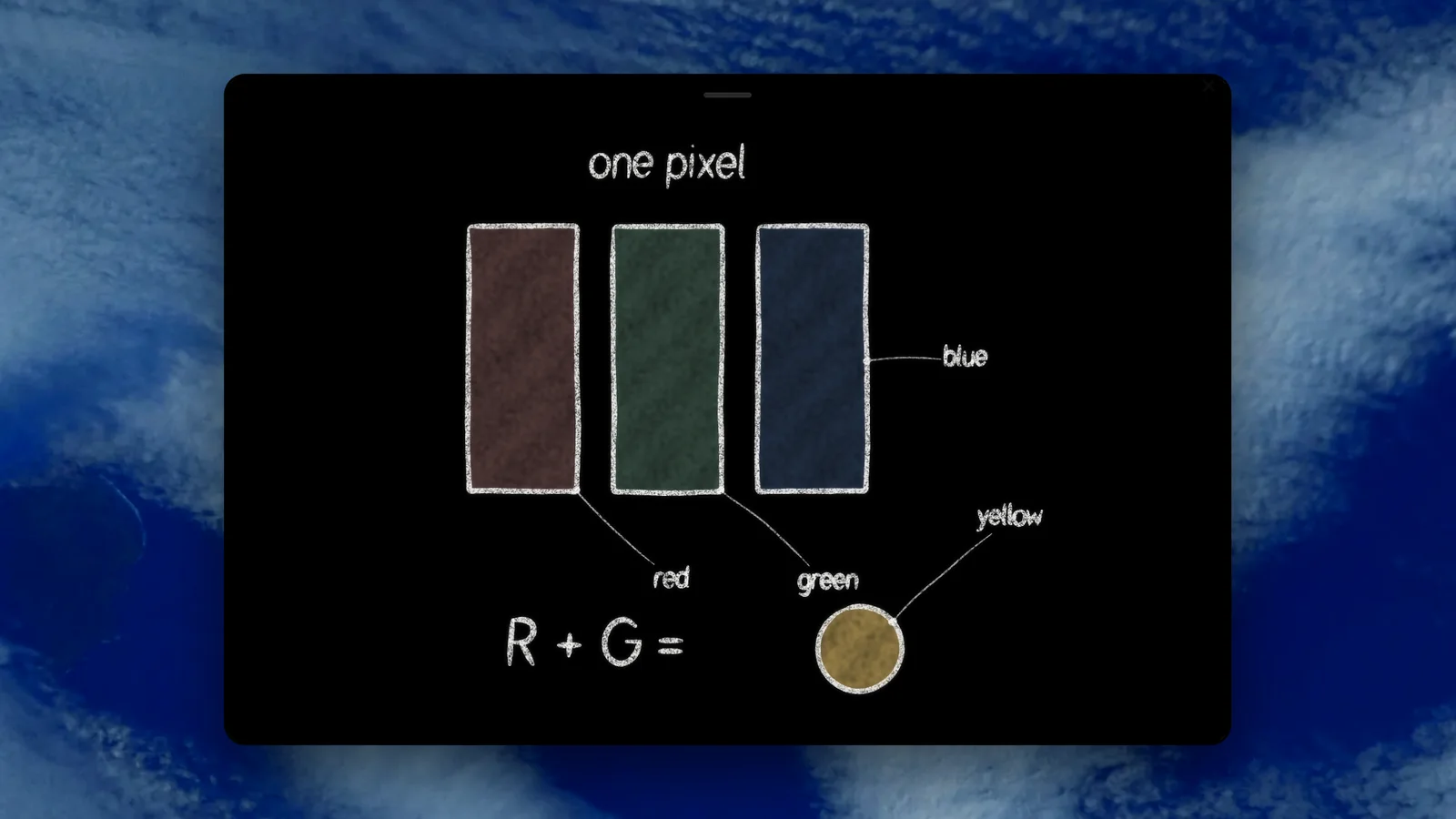
Why the Moon keeps falling, and missing.
An orbit, live: change the speed and watch it fall in or fly off.
Physics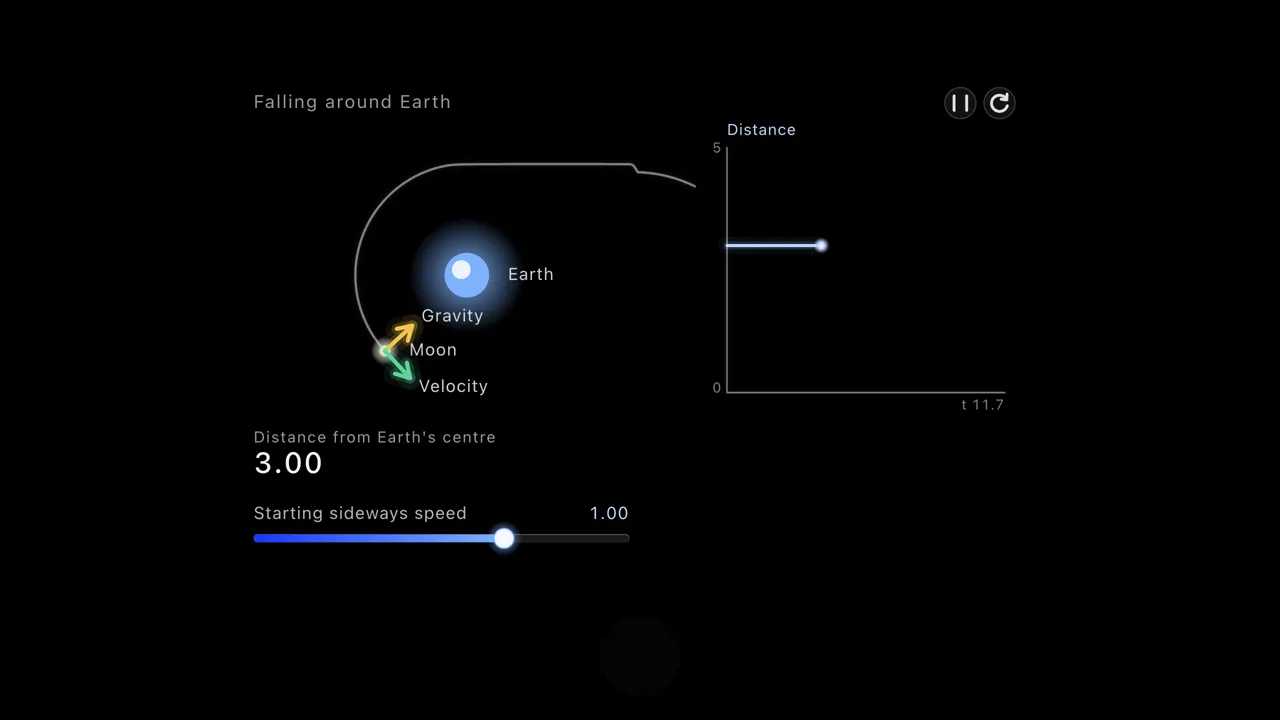
“What is E = mc² actually saying?”
Curiosity is enough of a reason. No class, no grade, no deadline. A question, and an AI that answers it on the blackboard and then asks you one back.
See it, ask about it, go deeper.
Ask DuckyHelper and a blackboard opens beside your work where it draws and writes as it talks. Ask about any part. Ask what happens next, and it keeps going, or hands you one to try.
- More than words
- Simulations you change yourself, worked steps and quizzes rise out of the pill too, one card at a time, on every plan.
- Read the real thing
- Open the Wikipedia article or a public-domain book on your computer, press fn and ask about any part. Ask it to look something up and the answer comes with its sources.
- Hear it read
- Say read this with me and DuckyHelper reads the page on your screen aloud, with each word lighting up.
Learn it once. Keep it.
Curiosity fades fast without a little practice. Ask for a quick quiz at the end of a session, and the questions you miss come back later as flashcards, right before you would forget them.
- It remembers you
- Memory keeps notes on how you learn, pictures worth keeping and your files, and finds them while you talk. You can see, edit and delete all of it in Settings.
- Pick up where you left off
- Each session is kept with its summary, so the next one starts from what you covered.
- Explain it back
- Tell DuckyHelper the idea in your own words and let it ask about the part you skipped. It is the fastest way to find what you don't know yet.
An old idea, made personal.
In 1984, Benjamin Bloom reported that students taught one on one by a tutor scored about two standard deviations above students taught in a class. One tutor per learner has always been the hard part. DuckyHelper is built to teach that way, one on one, at your pace, on your questions.
Five ways to learn something new
A simple loop that works for a topic you know nothing about yet.
- 01
Ask the question you actually have
Not the textbook version. The one you were wondering about.
- 02
Ask to see it
A drawing on the blackboard or a simulation often lands faster than words.
- 03
Read a real source
Open the article or the book with DuckyHelper and read the part that matters together.
- 04
Explain it back
Say it in your own words. DuckyHelper asks about whatever you left out.
- 05
Quiz yourself tomorrow
Five questions the next day show what stayed, and the misses become flashcards.
Make DuckyHelper yours.
Pick the voice DuckyHelper talks with in Settings, General, Voice, and how it feels: calm, curious, excited and more.
- fn pill
- Mac app
Try it on your own work
Press fn on a Mac (Ctrl+Shift+Space on Windows and Linux) and say it out loud. It sees your screen, so it works on your own problem with you, and shows you.
“Why does the Moon stay in orbit?”
DuckyHelper is an app for Mac (Apple silicon, macOS 14 or later), Windows and Linux.
Questions
Is DuckyHelper only for students?
No. Anyone 13 or older can use it to learn whatever they are curious about, from how vaccines work to why a minor chord sounds sad. It works the same way for a teenager and for an adult: you ask, it shows you, and it checks what stuck.
What can I learn with it?
Almost anything you can ask a good tutor about: science, history, math, music, art, languages, code. It explains with the blackboard, worked steps and simulations, and it reads real sources with you and cites them.
Can it read books with me?
Yes. Open a public-domain book from Project Gutenberg or Standard Ebooks, or a Wikipedia article, on your computer and press fn. Say read this with me and DuckyHelper reads it aloud while the words light up, and you can stop to ask about any word.
Does it remember what I learned?
Yes, if you want it to. Memory keeps notes on how you learn and what you covered, and each session is kept with its summary. Memory has switches in Settings, and you can delete anything there.
Do I need a Mac?
No. DuckyHelper runs on a Mac with Apple silicon and macOS 14 or later, on Windows 10 or 11 and on Linux, with no web version. In the app, press fn on a Mac (Ctrl+Shift+Space on Windows and Linux) and it can see your screen and draw on it, in any app.
Keep exploring
Finals
Quiz yourself on each class, work through what you miss on the blackboard, and get every miss back as a flashcard before the exam. In the app.
OpenSAT prep
Study for the SAT with AI help on the questions you missed: see why an answer is wrong, find the slip in your math, then quiz the skills you keep missing.
OpenACT prep
Go through your ACT practice misses out loud: the part of the chart that matters, the slip in your math, then quizzes and flashcards on the rules you miss.
OpenHomework help
Homework help in any subject that leaves the work to you: it points at your mistake, gives one hint at a time and checks what you wrote.
OpenResearch
How DuckyHelper is built to teach: the model, a library of 100+ learning-science papers, the principles it follows and our white papers.
OpenHigh school
Voice help for high school students in every class: explanations you can see, hints before answers, and quizzes before the test. In the DuckyHelper app.
Open
What have you always wondered?
Ask it out loud and see where it goes, on your computer.
Download for MacDo anything
Ask it a question or hand it a job, in any app.




Doing jobs for you is in the Mac app. Asking works on Mac, Windows and Linux.