

Practice coding interviews out loud.
DuckyHelper lets you practice coding interviews out loud: talk through your approach, get one hint at a time, and when a test fails it circles the line that breaks. An app for Mac, Windows and Linux.
 Run it and ask out loud. It rings the line and tells you what 3/2 gives in Python.
DuckyHelper helps you practice coding interviews the way they happen: out loud. Talk through your approach, and it asks what an interviewer would, like the time cost or the edge case you skipped. It gives hints one at a time, and when a test fails, it circles the line in your code where it breaks while it explains. All in the DuckyHelper app.
Your code, drawn as a tree.
fib(50) never finishes. It asks you why, then draws every call and rings the ones it repeats.
Computer science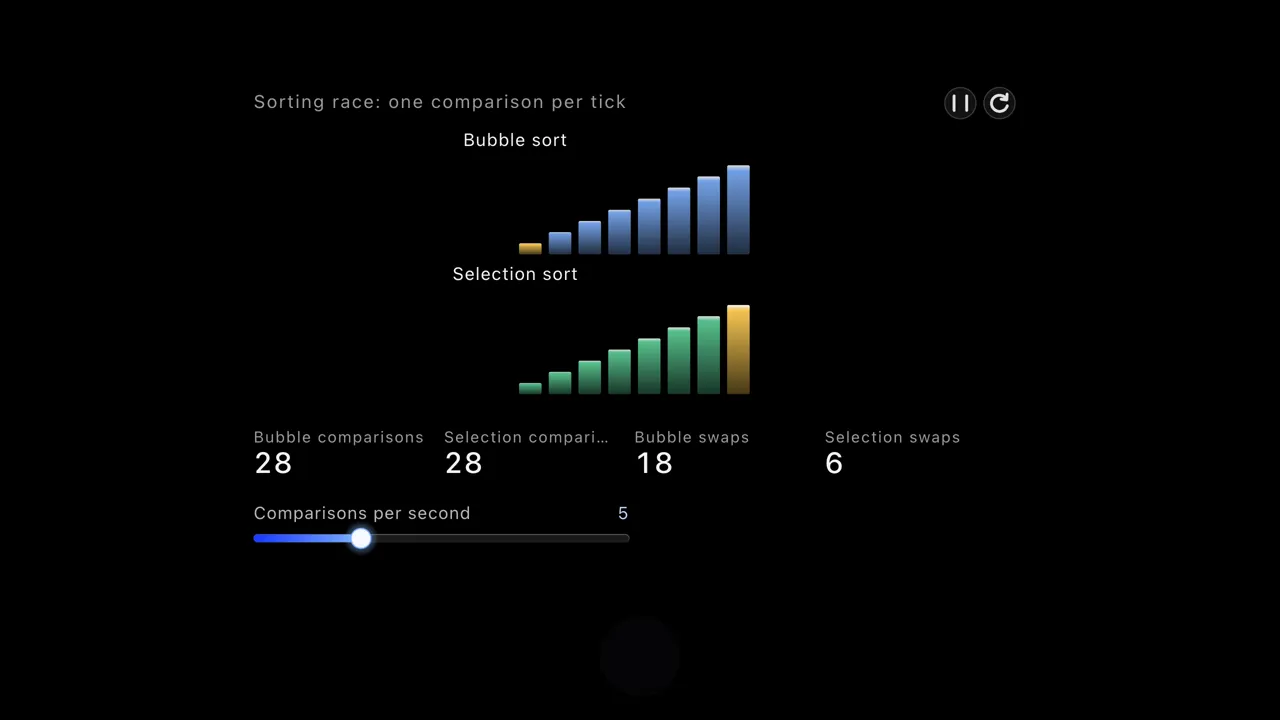
“I'll try a nested loop first. Is that OK?”
Interviewers want to hear how you think. Say the plan before you code. You get the follow-up an interviewer would ask: what does it cost, and can you do better?
One problem, start to finish
Two Sum, the way a practice session goes.
- 01
Say your plan
“Nested loop first?” Ducky asks for the time complexity, and whether you can do better.
- 02
Take one hint
Not sure? Hint one is a nudge, like: what if you remembered the numbers you've already seen?
- 03
Write it yourself
In your own editor or on the practice site, with the hints out of the way until you ask.
- 04
Run it
Run it in your editor or on the practice site, the way you would in the interview, and see which test fails.
- 05
Find where the one that fails goes wrong
DuckyHelper reads your code on your screen and circles the line where the values go wrong, so you see the bug and fix it yourself.
The coding tools
| Tool | What it does | Where |
|---|---|---|
| Marks on your code | Underlines the failing test and circles the line where the values go wrong, right on your screen | Mac app |
| Hints first | A nudge, a bigger hint, the worked step, and the answer last | Mac app |
| Blackboard | A blackboard opens beside your work and DuckyHelper draws the algorithm step by step while it explains, then hands you a turn | Mac app |
Everything works on the code you have open, in your editor or on a practice site: press fn and ask.
Practice the part nobody practices.
Most people practice coding in silence and then freeze when asked to explain. Here, explaining is the whole interface. Say your plan, defend your complexity, and walk through an edge case out loud before you write a line.
- Follow-up questions
- Ask Ducky to question you like an interviewer: the time and space cost, an input that breaks it, a simpler way.
- Explain it back
- After you solve one, explain the pattern in your own words. Ducky asks about the step you glossed over.
- Keep the patterns
- Save the patterns you missed as flashcards, like when to reach for a hash map, so they come back before your next interview.
What it won't do
Help in a real interview
Don't use DuckyHelper during a real interview or a graded coding test unless you're allowed to. It is a study tool.Replace a mock interview
It is not a service with human interviewers, and it has no list of any company's questions.Be right about every line
Its code and explanations can be wrong. Running your code against tests is the check: trust what passes.
Try it on your own work
Press fn on a Mac (Ctrl+Shift+Space on Windows and Linux) and say it out loud. It sees your screen, so it works on your own problem with you, and shows you.
“Why does my code crash?”
DuckyHelper is an app for Mac (Apple silicon, macOS 14 or later), Windows and Linux.
Questions
Does DuckyHelper work with LeetCode?
On a Mac, yes: Ducky sees your screen, so it can read a problem and your code on a practice site, and mark the line to look at right in the site's editor.
Does it run my code?
No. It reads your code and the test results on your screen and talks them through with you. Run your code in your own editor or on the practice site.
Will it just give me the solution?
Only if you ask for it. It starts with questions and hints one at a time, and you write each step yourself. The aim is that you can solve the next one without it.
Can I use DuckyHelper in a live interview?
No. Don't use it during a real interview or coding test unless you're allowed to. Use it to practice beforehand: talk through problems, find your own bugs and review the patterns you missed.
Does it work on a Chromebook?
Not yet: DuckyHelper is an app for Mac, Windows and Linux, and it isn't on Chromebooks yet. Join the waitlist on the download page to hear when it is. There is no web version. In the app, it talks through problems, draws algorithms on the blackboard and reads your editor.
Keep exploring
High school
Voice help for high school students in every class: explanations you can see, hints before answers, and quizzes before the test. In the DuckyHelper app.
OpenSelf-learners
An AI you talk to, for curious people from 13: ask out loud, see it worked through on the blackboard, read the sources with it, and keep what you learn.
OpenFinals
Quiz yourself on each class, work through what you miss on the blackboard, and get every miss back as a flashcard before the exam. In the app.
OpenSAT prep
Study for the SAT with AI help on the questions you missed: see why an answer is wrong, find the slip in your math, then quiz the skills you keep missing.
OpenCollege students
Study from your own lecture slides, PDFs and notes: ask about them out loud, get quizzed on them, and keep what you miss as flashcards, on your computer.
OpenFeatures
Every DuckyHelper feature: press one key in any app and ask out loud. It sees your screen and shows you, on a blackboard, in 3D or in ink on your screen, and on a Mac it does the work in your apps with its own cursor.
Open
Talk through one problem tonight
Plan out loud, take one hint at a time, and find the bug yourself, on your computer.
Download for MacDo anything
Ask it a question or hand it a job, in any app.




Doing jobs for you is in the Mac app. Asking works on Mac, Windows and Linux.